
Disable Siri on iPhone
Two minutes in Settings. Switching Siri off is the easy part; the recordings Apple is already holding need a separate request before they go anywhere.
Permanently Disable Siri on iPhone
To permanently disable Siri on iPhone go to Settings > Siri & Search and turning OFF all options under “ASK SIRI” section.
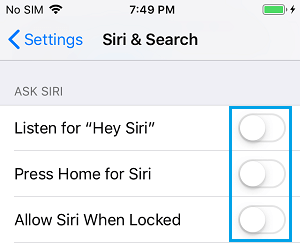
On the confirmation pop-up, tap “Turn OFF Siri” option to confirm.
Delete the Siri and Dictation History. A popup will ask for confirmation and then it will send the request to apple servers to delete the data collected when you used Siri.